 Comentality
Release
Document Template XRay is in the Tool Library
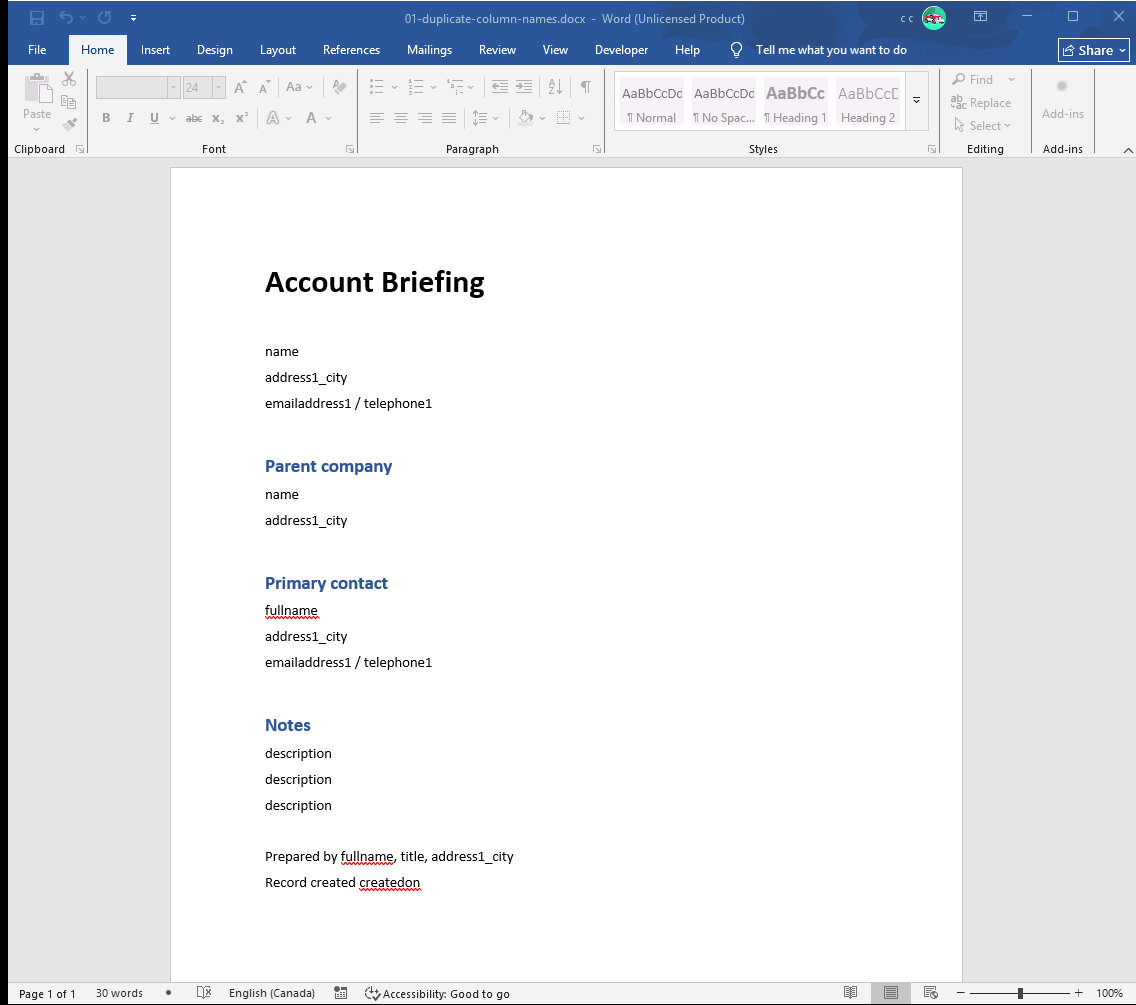
Open a Dynamics document template in Word and you see grey placeholder text.
Three of the controls say description. Two say name. address1_city is
there four times. Every table in Dataverse has a description and a
createdon, so the moment a template pulls in a related record the page fills
with controls that look identical and read from different places. Which is
which is an XPath expression in a custom XML part inside the file, and Word
will not show it to you without clicking each control in turn.
Document Template XRay reads the .docx instead. A .docx is a zip archive;
the bindings are in word/document.xml and the header and footer parts, and
reading them is a file operation, not an interactive one.
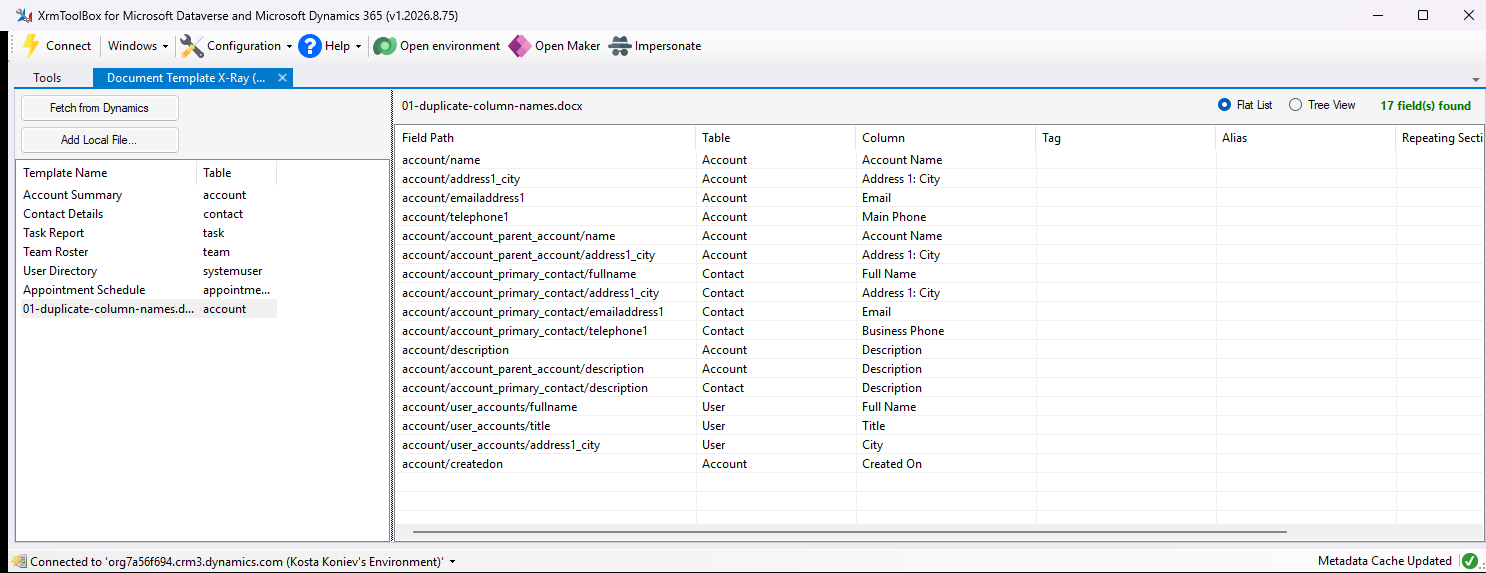
The three description controls turn out to be the account, its parent
account and its primary contact. With a connection open, logical names resolve
to display names from metadata, so telephone1 on the account reads Main
Phone and telephone1 on the contact reads Business Phone.
What it does
- Fetches the Word templates in the connected environment, or opens any
.docxfrom disk. Drag and drop works. - Flat list — every field reference with its table, column, tag, alias, the repeating section it sits in, and whether it is in the body, a header or a footer.
- Tree view — the same fields grouped by their entity and relationship
path, so the three
descriptionleaves hang off three different parents. - Repeating sections are marked, and every field inside one is tagged with the section it repeats under.
- Display names come from Dataverse metadata when connected. Without a connection you still get the logical paths.
What it does not do
It reads. It does not edit a template, fix a broken binding, or tell you which templates a schema change is about to break on its own — but once the bindings are a list, “which templates touch this column” is a question with an answer, and that was the point.
Install
Search for Document Template XRay in the XrmToolBox Tool Library. The source is MIT.
XrmToolBox is not ours. It is somebody else’s, it is free, and it is the reason a practice this size can ship anything at all.